




If you want to know How to create a shipment with Retorna, here you will find the process explained in a clear and detailed way. In a few minutes you can send money quickly, safely and without complications.
Retorna is a money transfer app designed to facilitate international transfers with transparency in fees and commissions.
Index of contents
- What is Retorna?
- Requirements before sending money
- How to create a shipment with Return step by step
- FAQs
- Conclusion
What is Retorna?
Retorna is a application to send money abroad digitally, quickly and securely.
Its main advantages include:
- 100% digital process
- Competitive rates
- Real-time shipment tracking
- Secure platform
You can learn more about the platform on the official site: https://www.retorna.app/es
Requirements before creating a shipment
Before starting the process, make sure you have:
- The Retorna app installed
- Registered and verified account
- Active payment method
- Full details of the recipient
Having this information ready speeds up shipping and prevents errors.
How to create a shipment with Return step by step
Here's exactly how to do that.
Step 1: Sign in to the app
Open Retorna and log in with your user. If you don't have an account yet, sign up by following the verification steps indicated in the app.
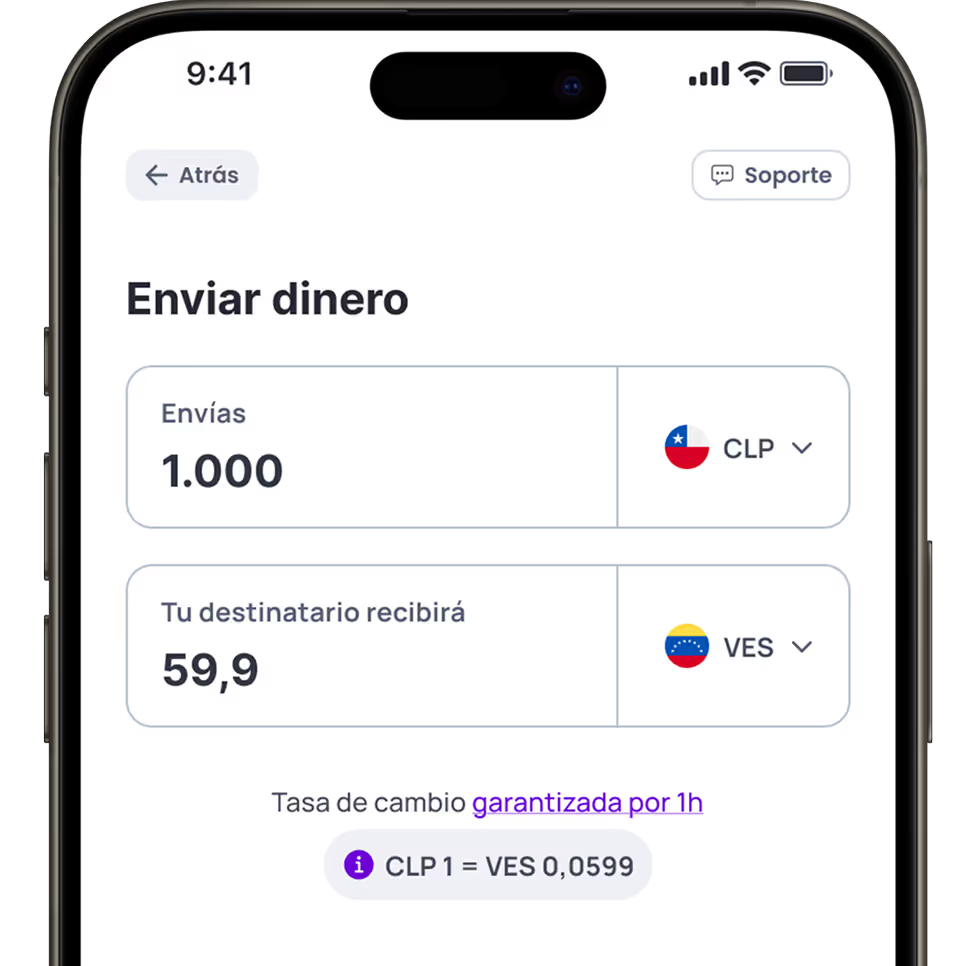
Step 2: Enter the amount to send
Type the amount you want to transfer.
The app will automatically show:
- Exchange rate
- Applicable commission
- Total to pay
This ensures transparency before confirming the operation.
Step 3: Add or Select Recipient
Enter the beneficiary's full details or select a previously saved one.
Check carefully:
- Full name
- Destination country
- Reception Information
A correct review avoids delays or rejections.
Step 5: Choose payment method
Select how you want to pay for shipping:
- Debit card
- Credit card
- Bank transfer
Complete the appropriate details and review the information before continuing.
Step 6: Confirm shipment
Review the final details and confirm the operation.
You'll receive a notification and can follow the shipment status directly from the app.
If you prefer to see the process in action, here's the step-by-step video:
https://www.youtube.com/watch?v=uLuV9TrzAf8
This video complements the previous guide and allows you to view each screen of the process.
FAQs
How long does a shipment with Retorna take?
The time may vary depending on the country and payment method, although many shipments are processed in a few minutes.
Is it safe to send money with Retorna?
Yes. Retorna uses security protocols designed to protect each transaction and user information.
Can I track my shipment?
Yes. The application allows real-time monitoring to know the status of the transfer.
Conclusion
Now you know exactly How to create a shipment with Retorna step by step.
The process consists of:
- Sign in
- Create a new shipment
- Enter the amount
- Add Recipient
- Choose payment method
- Confirm the operation
With Retorna you can send money quickly, securely and transparently.
For more information about the service and its features, visit the official site:

Your money arrives in a heartbeat
With Retorna, your transfers arrive in minutes. It's as easy as sending a WhatsApp message. Send money in just a few clicks—fast, secure, and hassle-free.
Escanea el código y empieza a enviar dinero a tus seres queridos en cualquier parte del mundo.
Disponible en